Phoenix

94K plays 1980 #Shooter
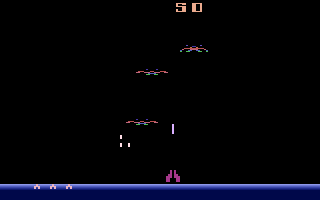
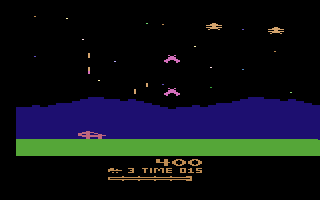
Phoenix is an outer space-themed, fixed shooter similar to Taito's Space Invaders. It was developed by Amstar Electronics (which was located in Phoenix, Arizona) in 1980, and released by Centuri in the United States and by Taito in Japan. The Phoenix mothership is one of the first video arcade game bosses to be presented as a separate challenge. This was before the term boss was coined.
The player controls a spaceship that moves horizontally at the bottom of the screen, firing upward. Enemies, typically one of two types of birds, appear on the screen above the player's ship, shooting at it and periodically diving towards it in an attempt to crash into it. The ship is equipped with a shield that can be used to zap any of the alien creatures that attempt to crash into the spaceship. The player cannot move while the shield is active and must wait approximately five seconds before using it again. The player starts with three or six lives, depending on the settings. Each level has five separate rounds. The player must complete a round to advance to the next.
Text: Wikipedia via RetroGames.cz, licensed under CC BY-SA 3.0
Keyboard controls
| Atari 2600 | Player 1 | Player 2 |
|---|---|---|
| D-pad | ↑↓←→ | IKJL |
| Fire | Z | N |
| Game Select | Shift | |
| Game Reset | Enter |
Hotkeys
- 1 Quick save state
- 2 Quick load state
- 3 Change save slot
Most games start with Game Reset. Paddle games (Breakout, Kaboom!…) need a gamepad stick.
Gamepads are detected when you press a button. Remap any key from the emulator’s Controls menu (gear icon).
Live chat
Connecting…
Keyboard controls
| Atari 2600 | Player 1 | Player 2 |
|---|---|---|
| D-pad | ↑↓←→ | IKJL |
| Fire | Z | N |
| Game Select | Shift | |
| Game Reset | Enter |
Hotkeys
- 1 Quick save state
- 2 Quick load state
- 3 Change save slot
Most games start with Game Reset. Paddle games (Breakout, Kaboom!…) need a gamepad stick.
Gamepads are detected when you press a button. Remap any key from the emulator’s Controls menu (gear icon).




Comments