OutRun 2019

28K plays 1993 #Racing
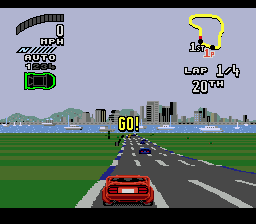
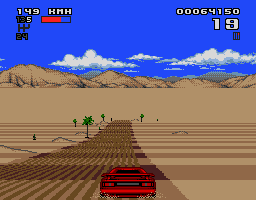
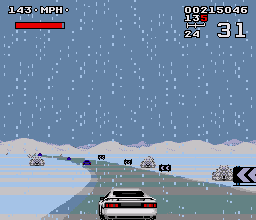
OutRun 2019 is a Mega Drive/Genesis-only pseudo-sequel to Out Run that takes place in the future. The object is to race against a time limit in a rocket-boosted car across four different stages around the world. Like the original Out Run, there is a fork in the road before each checkpoint; however, there can also be forks within a single route. The maximum speed of the car as indicated on the game is 341 km/h (211.89 mph) on the Japanese version, 682 km/h (423.77 mph) on the European version, and 682 mph (1097.57 km/h) on the North American version.
OutRun 2019 features four different stages to race across, each one harder than the last. Most routes will split into two routes at their ends like in the original Out Run, but a few routes instead end with either a goal or a convergence with another route.
Also, throughout most of the stages, some routes will diverge, splitting into two different roadways. Usually, some of the roads will lead onto a bridge over ground, over a pit, or over water. Slipping off the bridges will cost the player precious time or force the player onto the ground route if one exists under the bridge.
Sometimes, when the roads split, they will lead to a different kind of road. This is usually seen by means of a three-way diverge sign, which means the player can choose whether to go left, right, or continue forward. For example, on one route in Stage 4, some parts of the road are covered in wet cement. Another features the player driving into a tunnel. The last will lead the player over a bridge.
Finally, there are also secret diverges that can be spotted easily. For example, some areas will have a ramp placed strategically on one side of the road. If hit correctly, the car will fly to one side, and eventually land on a secret roadway. Also, jumping off these ramps can also lead up to overhead bridges on some routes. These secret roads can usually lead to a quicker way to the next route.
Text: Wikipedia via RetroGames.cz, licensed under CC BY-SA 3.0
Keyboard controls
| Genesis | Player 1 | Player 2 |
|---|---|---|
| D-pad | ↑↓←→ | IKJL |
| A | Z | N |
| B | X | M |
| C | C | , |
| X | A | Y |
| Y | S | U |
| Z | D | O |
| Mode | Shift | B |
| Start | Enter | Space |
Hotkeys
- 1 Quick save state
- 2 Quick load state
- 3 Change save slot
X, Y and Z are for six-button games such as Street Fighter II.
Gamepads are detected when you press a button. Remap any key from the emulator’s Controls menu (gear icon).
Comments