NOW: A Computer Chess Program
8.2K plays 1991 #Puzzle
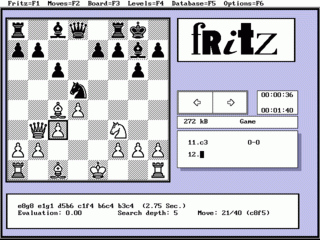
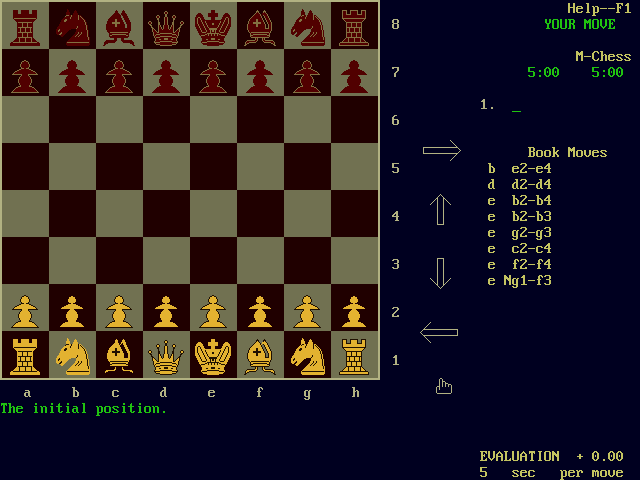
NOW is old computer chess program written by Mark Lefler for the IBM-PC line of computers. NOW was working on any 8088, 80286 or 80386 machine with CGA, EGA or VGA displays. For text only displays, the program used a simple text only representation of the board instead of the fancy graphics.
NOW was not a profit making program. Funds received on this shareware program were used to pay duplication costs, salaries of a business manager and to buy new development hardware. Contributions helped with development a stronger, more feature-filled program.
NOW did rather well in the 1991 Microcomputer Chess Championship. It finished with the best score for an amateur program running on a PC with only M-CHESS beating it on a PC. Other programs which beat NOW ran on very fast RISC-based processors, much faster than NOW's 40 MHz 80386 machine. Now tied with first place among all chess programs at the Aegon 1996 Tournament, receiving 4.5 out of 6 points. This tied the program with other world class programs such as Fritz, and it beat Grandmaster Larry Christiansen. Now was written in Pascal, running on PCs with MS-DOS operating system. In 2007, Mark started a rewrite using C.
NOW was not meant to compete with other powerful commercial programs, such as M-CHESS, Zarkov or Chessmaster 2100. It is simply a shareware option.
Text: RetroGames.cz, licensed under CC BY-SA 3.0
Controls
This is a PC game: it uses the keyboard the way it did under MS-DOS, and the mouse where the game supports it. Click the game screen first so it gets your key presses.
Many DOS games start with a menu or ask a question first — read the screen and answer with the keyboard. Arrow keys, Enter, Space, Ctrl and Alt are the usual game keys.
Live chat
Connecting…
Controls
This is a PC game: it uses the keyboard the way it did under MS-DOS, and the mouse where the game supports it. Click the game screen first so it gets your key presses.
Many DOS games start with a menu or ask a question first — read the screen and answer with the keyboard. Arrow keys, Enter, Space, Ctrl and Alt are the usual game keys.

Comments