Nintendo World Cup

1.8K plays 1990 #Sport
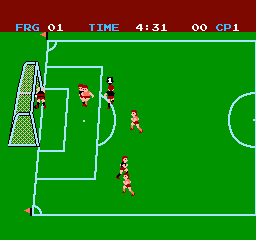
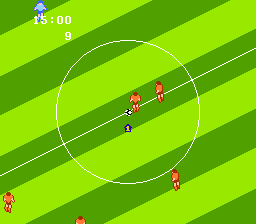
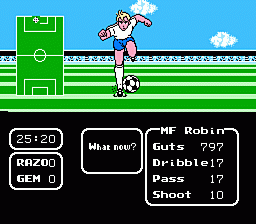
Nintendo World Cup is a soccer video game for the Family Computer/NES and Game Boy, developed by Technōs Japan and released in 1990. It is a localization of Nekketsu High School Dodgeball Club: Soccer, the fourth Kunio-kun game released for the Family Computer. Ports for the PC Engine and Mega Drive were also released in Japan. A Game Boy version was released in Japan, North America and Europe.
Thirteen national teams (Argentina, Brazil, Cameroon, England, France, West Germany, Italy, Japan, Mexico, Netherlands, Soviet Union, Spain and United States) compete in a world cup to become number 1. At its core, the game follows the rules of soccer, but with noticeable differences. Each team has only six players (a goalkeeper, two defenders, a midfielder and two forwards). You control only one of them, but you can give commands (Pass/Shoot) to the others. Offsides are non-existent and fouls are not punished. Players can be knocked out by repeatedly sliding, tackling or shooting them, afterwards they will stay down for the rest of the half. Players can also use up to five 'super shots' per half; these powerful, odd-looking shots are used whenever a player does a bicycle kick or a diving header, or when he shoots after walking a certain number of steps. The 'super shots' differ from team to team. The playing fields also differ in respect to material, e.g. ice, which heavily impacts movement of players and the ball.
There are two game modes:
Text: Wikipedia via RetroGames.cz, licensed under CC BY-SA 3.0
Keyboard controls
| NES | Player 1 | Player 2 |
|---|---|---|
| D-pad | ↑↓←→ | IKJL |
| B | Z | N |
| A | X | M |
| Select | Shift | B |
| Start | Enter | Space |
Hotkeys
- 1 Quick save state
- 2 Quick load state
- 3 Change save slot
Gamepads are detected when you press a button. Remap any key from the emulator’s Controls menu (gear icon).
Live chat
Connecting…
Keyboard controls
| NES | Player 1 | Player 2 |
|---|---|---|
| D-pad | ↑↓←→ | IKJL |
| B | Z | N |
| A | X | M |
| Select | Shift | B |
| Start | Enter | Space |
Hotkeys
- 1 Quick save state
- 2 Quick load state
- 3 Change save slot
Gamepads are detected when you press a button. Remap any key from the emulator’s Controls menu (gear icon).
Comments