Tecmo NBA Basketball

72K plays 1992 #Sport
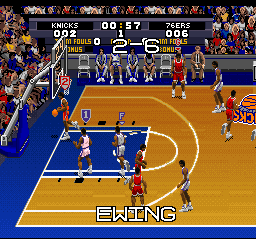
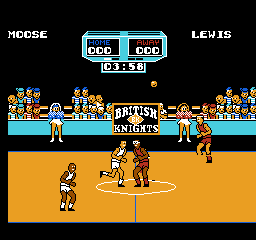
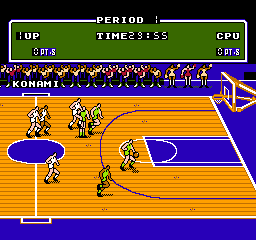
Tecmo NBA Basketball is a basketball video game that was released by Tecmo for the Nintendo Entertainment System.
Like Tecmo Super Bowl and Tecmo Bowl before it, the game features cinema-style cutscenes during gameplay. There is an option to play an all-star game, but unlike with Tecmo Super Bowl, there is no option to select the players on the All-Star teams. Tecmo also released a version of the game for the Super NES and Genesis, titled Tecmo Super NBA Basketball. This is the first basketball video game to feature an official license from both the NBA and the NBPA players union (however, it was not the first basketball video game to have a license from the NBA; that distinction went to Intellivision's NBA Basketball in 1980).
The game features an appearance from Michael Jordan and all current NBA teams and players from the 1991–92 NBA season. The Los Angeles Lakers team features Magic Johnson despite his not actually playing in the NBA during that season (he had announced his retirement early in the season, having never played a game in the 1991–92 season). Larry Bird, who played his last NBA game in 1992, also appears, as a member of the Boston Celtics.
From Wikipedia's article Tecmo NBA Basketball, licensed under CC BY-SA 4.0
Keyboard controls
| NES | Player 1 | Player 2 |
|---|---|---|
| D-pad | ↑↓←→ | IKJL |
| B | Z | N |
| A | X | M |
| Select | Shift | B |
| Start | Enter | Space |
Hotkeys
- 1 Quick save state
- 2 Quick load state
- 3 Change save slot
Gamepads are detected when you press a button. Remap any key from the emulator’s Controls menu (gear icon).
Live chat
Connecting…
Keyboard controls
| NES | Player 1 | Player 2 |
|---|---|---|
| D-pad | ↑↓←→ | IKJL |
| B | Z | N |
| A | X | M |
| Select | Shift | B |
| Start | Enter | Space |
Hotkeys
- 1 Quick save state
- 2 Quick load state
- 3 Change save slot
Gamepads are detected when you press a button. Remap any key from the emulator’s Controls menu (gear icon).
Go live
Let anyone watch you play, live in their browser. They see your game as you play it.
Press Start Game first.
Comments