NBA Jam

182K plays 1993 #Sport
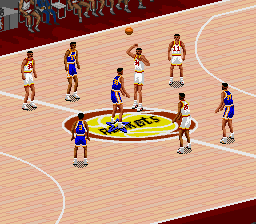
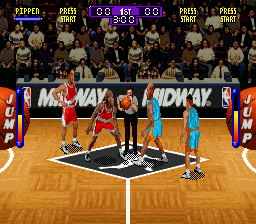
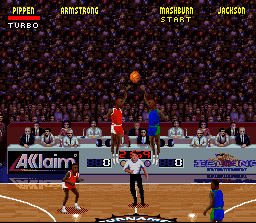
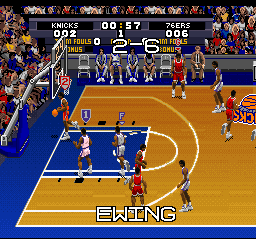
NBA Jam is a 1993 basketball video game developed and published by Midway for arcades. It is the first entry in the NBA Jam series and the third basketball video game released by Midway, after TV Basketball (1974) and Arch Rivals (1989). The gameplay of NBA Jam is based on Arch Rivals, being primarily based around a 2-on-2 basketball game.
Development on the game came to fruition following the financial failure of Midway's Total Carnage (1992). The aim of the project was to create a game with wide appeal, focusing on mixing digitized graphics with Midway's previous basketball game, Arch Rivals (1989), and Midway securing a license from the National Basketball Association (NBA); The association initially expressed skepticism at Midway's pitch which emphasized Arcade gameplay but Midway executives eventually convinced them of its potential. Acclaim acquired the publishing rights to port the game to home consoles.
From Wikipedia's article NBA Jam (1993 video game), licensed under CC BY-SA 4.0
Keyboard controls
| SNES | Player 1 | Player 2 |
|---|---|---|
| D-pad | ↑↓←→ | IKJL |
| A | Z | M |
| B | X | N |
| X | A | U |
| Y | S | H |
| L | Q | Y |
| R | E | O |
| Select | Shift | B |
| Start | Enter | Space |
Hotkeys
- 1 Quick save state
- 2 Quick load state
- 3 Change save slot
Gamepads are detected when you press a button. Remap any key from the emulator’s Controls menu (gear icon).
Online, both players use the Player 1 keys (or a gamepad) on their own computer. Saving, loading and pausing are off while you play online.
Live chat
Connecting…
Keyboard controls
| SNES | Player 1 | Player 2 |
|---|---|---|
| D-pad | ↑↓←→ | IKJL |
| A | Z | M |
| B | X | N |
| X | A | U |
| Y | S | H |
| L | Q | Y |
| R | E | O |
| Select | Shift | B |
| Start | Enter | Space |
Hotkeys
- 1 Quick save state
- 2 Quick load state
- 3 Change save slot
Gamepads are detected when you press a button. Remap any key from the emulator’s Controls menu (gear icon).
Online, both players use the Player 1 keys (or a gamepad) on their own computer. Saving, loading and pausing are off while you play online.
Play online
Play with a friend on another computer. Host a room and send them the link; they join as Player 2 and you both see the same game.
Press Start Game first.

Comments