NBA Live 95

79K plays 1994 #Sport
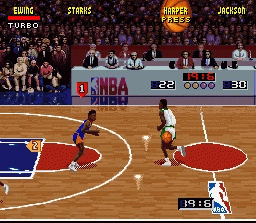
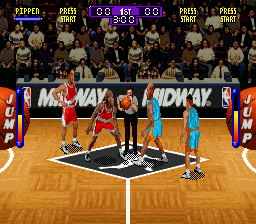
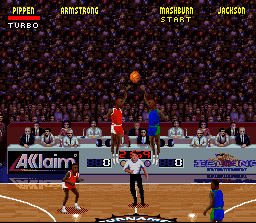
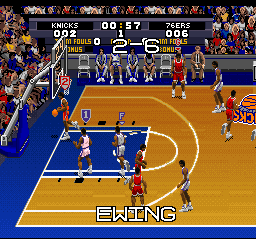
NBA Live 95 is the first of the NBA Live video games series. The cover featured an action shot of the 1994 NBA Finals. The game was published by EA Sports and released in October 1994. It introduced many elements of that would become standard in the series, including the isometric on-court perspective, the 'T-meter' for shooting free throws and the turbo button used to give players a temporary burst of speed. The game was re-released with NBA Live 06 as part of the EA Retro Series. Game Players gave the Super NES version of this video game its 'best sports game award' in their Super NES division on the January 1995 issue of their magazine. NBA Live 95 is followed by NBA Live 96.
The SNES version of the game featured the 1993-94 NBA rosters, while the Genesis version of the game featured the up-to-date 1994-95 rosters (minus most of the year's rookie class). Both versions featured limited roster management functions, however in the Genesis version, only players in the starting lineup could be traded. Additionally, there was no Create-a-Player function or a Free Agent pool to draw from. The PC release featured updated rosters accurate as of the 1994–95 season's trade deadline, and included the entire rookie class of 1994. The Sega Genesis version was included in the PlayStation 2 version of NBA Live 06.
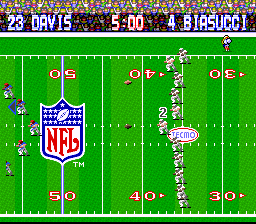
In 1996, Computer Gaming World declared the original NBA Live the 57th-best computer game ever released. The game's notable success helped launch EA's other sports games. Both Madden NFL '95 and Triple Play Baseball outsold their competitors, NFL '95 and World Series Baseball, respectively, for the first time following NBA Live's release.
Text: Wikipedia via RetroGames.cz, licensed under CC BY-SA 3.0
Keyboard controls
| SNES | Player 1 | Player 2 |
|---|---|---|
| D-pad | ↑↓←→ | IKJL |
| A | Z | M |
| B | X | N |
| X | A | U |
| Y | S | H |
| L | Q | Y |
| R | E | O |
| Select | Shift | B |
| Start | Enter | Space |
Hotkeys
- 1 Quick save state
- 2 Quick load state
- 3 Change save slot
Gamepads are detected when you press a button. Remap any key from the emulator’s Controls menu (gear icon).
Online, both players use the Player 1 keys (or a gamepad) on their own computer. Saving, loading and pausing are off while you play online.
Live chat
Connecting…
Keyboard controls
| SNES | Player 1 | Player 2 |
|---|---|---|
| D-pad | ↑↓←→ | IKJL |
| A | Z | M |
| B | X | N |
| X | A | U |
| Y | S | H |
| L | Q | Y |
| R | E | O |
| Select | Shift | B |
| Start | Enter | Space |
Hotkeys
- 1 Quick save state
- 2 Quick load state
- 3 Change save slot
Gamepads are detected when you press a button. Remap any key from the emulator’s Controls menu (gear icon).
Online, both players use the Player 1 keys (or a gamepad) on their own computer. Saving, loading and pausing are off while you play online.
Play online
Play with a friend on another computer. Host a room and send them the link; they join as Player 2 and you both see the same game.
Press Start Game first.

Comments