Mystical Ninja Starring Goemon
38K plays 1997 #Action#Adventure
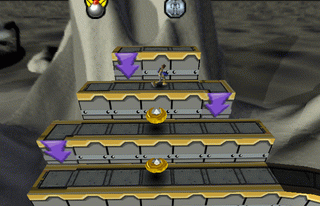
Mystical Ninja Starring Goemon is a 1997 platform action-adventure game developed by Konami Computer Entertainment Osaka and published by Konami for the Nintendo 64. The second Ganbare Goemon game released in North America and Europe, and the twelfth mainline installment overall, follows The Legend of the Mystical Ninja and features hybrid elements of platform games and action-adventure games.
The story follows Goemon's struggles to prevent the Peach Mountain Shoguns gang from turning Japan into a Westernized fine arts theater. The plot calls for three cinematic musical features and battles between giant robots; like other Ganbare Goemon games, it is peppered with surrealist humor and anachronisms.
Mystical Ninja Starring Goemon sold nearly 200,000 units worldwide. Reviewers praised its graphics, gameplay, and humorous plot, while criticizing its virtual camera and questioning how accessible its references and jokes would be to Western audiences. Despite this, the game has developed a cult following that is still actively developing mods for the game.
From Wikipedia's article Mystical Ninja Starring Goemon, licensed under CC BY-SA 4.0
Keyboard controls
| N64 | Player 1 |
|---|---|
| Stick | ↑↓←→ |
| A | X |
| B | C |
| Z | Z |
| L | A |
| R | S |
| C buttons | IKJL |
| D-pad | TGFH |
| Start | Enter |
Hotkeys
- 1 Quick save state
- 2 Quick load state
- 3 Change save slot
A gamepad with an analog stick plays much better than the keyboard.
Gamepads are detected when you press a button. Remap any key from the emulator’s Controls menu (gear icon).
Live chat
Connecting…
Keyboard controls
| N64 | Player 1 |
|---|---|
| Stick | ↑↓←→ |
| A | X |
| B | C |
| Z | Z |
| L | A |
| R | S |
| C buttons | IKJL |
| D-pad | TGFH |
| Start | Enter |
Hotkeys
- 1 Quick save state
- 2 Quick load state
- 3 Change save slot
A gamepad with an analog stick plays much better than the keyboard.
Gamepads are detected when you press a button. Remap any key from the emulator’s Controls menu (gear icon).
Comments