Mortal Kombat 3
197K plays 1995 #Action#Fighting
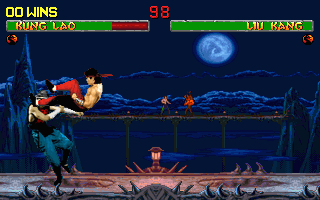
Mortal Kombat 3 is a 1995 fighting game developed and published by Midway for arcades. It was later ported to several home systems, including the Sega Genesis, Super Nintendo Entertainment System, Game Boy and PlayStation. It is the third main installment in the Mortal Kombat franchise, and a sequel to 1993's Mortal Kombat II. As in the previous games, it has a cast of characters that players choose from and guide through a series of battles against other opponents. The game avoids the tournament storyline of its predecessors, as various warriors instead fight against the returning Shao Kahn, who has resurrected his bride Sindel and started an invasion of Earthrealm.
Mortal Kombat 3 retains the blood and gory attacks that defined the series, and also introduces new types of Fatality finishing moves, including Animalities. Other features new to the series are combos, predefined sequences used to perform a series of consecutive attacks. The new "Run" button allows players to briefly dash toward the opponent, and the new "Kombat Kodes" system allows players to enter various symbols before two-player matches to unlock certain additional features of the game.
From Wikipedia's article Mortal Kombat 3, licensed under CC BY-SA 4.0
Controls
This is a PC game: it uses the keyboard the way it did under MS-DOS, and the mouse where the game supports it. Click the game screen first so it gets your key presses.
Many DOS games start with a menu or ask a question first — read the screen and answer with the keyboard. Arrow keys, Enter, Space, Ctrl and Alt are the usual game keys.
Live chat
Connecting…
Controls
This is a PC game: it uses the keyboard the way it did under MS-DOS, and the mouse where the game supports it. Click the game screen first so it gets your key presses.
Many DOS games start with a menu or ask a question first — read the screen and answer with the keyboard. Arrow keys, Enter, Space, Ctrl and Alt are the usual game keys.




Comments