Krusty’s Fun House

17K plays 1992 #Action#Platform#Puzzle
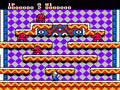
Krusty's Fun House is a video game based on the animated sitcom The Simpsons. The player directs small rats to an extermination area through complicated maze-like levels. The player controls Krusty the Clown, who must navigate through his Krusty Brand Fun House. Each level is a puzzle in which a number of rats must be exterminated. Using different objects and obstacles, Krusty must create a path for the rats to follow and guide them towards an extermination device. Other creatures such as snakes, martians, flying pigs and birds attempt to hinder Krusty's progress by injuring him; he must throw pies in order to defeat them. In each stage the extermination devices are run by a different character, including Bart, Homer, Corporal Punishment and Sideshow Mel.
Originally released as Rat-Trap on the Commodore Amiga, it was developed by Fox Williams for the British software house Audiogenic, who licensed it to Acclaim Entertainment, the U.S.-based publishers of a range of games based on The Simpsons. The game was released in 1992 for the Amiga, NES, IBM PC, Sega Master System, Sega Game Gear, Game Boy, Super NES and Sega Mega Drive/Genesis. Acclaim published the console versions, and sub-licensed the home computer versions to Virgin. The 16-bit versions on the Super NES and the Mega Drive/Genesis were entitled Krusty's Super Fun House.
Text: Wikipedia via RetroGames.cz, licensed under CC BY-SA 3.0
Keyboard controls
| Game Boy | Player 1 |
|---|---|
| D-pad | ↑↓←→ |
| B | Z |
| A | X |
| Select | Shift |
| Start | Enter |
Hotkeys
- 1 Quick save state
- 2 Quick load state
- 3 Change save slot
Gamepads are detected when you press a button. Remap any key from the emulator’s Controls menu (gear icon).
Live chat
Connecting…
Keyboard controls
| Game Boy | Player 1 |
|---|---|
| D-pad | ↑↓←→ |
| B | Z |
| A | X |
| Select | Shift |
| Start | Enter |
Hotkeys
- 1 Quick save state
- 2 Quick load state
- 3 Change save slot
Gamepads are detected when you press a button. Remap any key from the emulator’s Controls menu (gear icon).


Comments