Ihatovo Monogatari

0 plays #Adventure
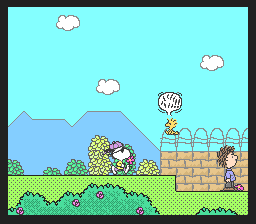
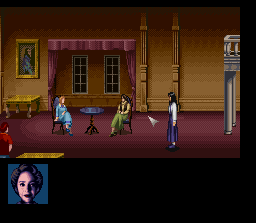
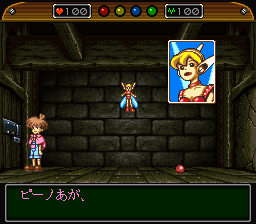
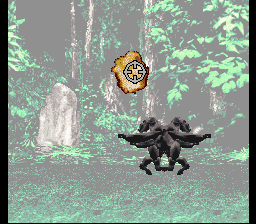
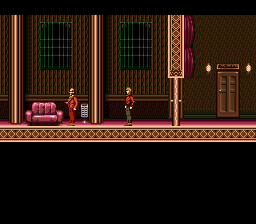
Ihatovo Monogatari is a 1993 adventure video game for the Super Famicom. It was developed and published by Hector, a small Japanese game development company. The game visually has similarities to role-playing video games of the era, but features no combat or levelling-up systems. The game adapts several fairy tales by the Children's literature author Kenji Miyazawa and predominantly features gameplay of collecting items and talking to non-playable characters. The ultimate goal in the game is to travel to the various areas and to gather the seven notebooks hidden within them.
Contemporary critics in Japanese video game magazines Hippon Super! and Famitsu complimented the atmosphere and narrative of the game, with some reviewers saying that it may prove to be frustrating and tedious in terms of gameplay. Retrospective reviews from Hardcore Gaming 101 also complimented the game's atmosphere, while Vícto Navarro-Remesal wrote Ihatovo Monogatari was an early precursor to games like Harvest Moon (1996) that displayed RPG-like visuals, but featured no battle gameplay.
It came out only in Japan; this version has an unofficial English fan translation.
From Wikipedia's article Ihatovo Monogatari, licensed under CC BY-SA 4.0
Keyboard controls
| SNES | Player 1 | Player 2 |
|---|---|---|
| D-pad | ↑↓←→ | IKJL |
| A | Z | M |
| B | X | N |
| X | A | U |
| Y | S | H |
| L | Q | Y |
| R | E | O |
| Select | Shift | B |
| Start | Enter | Space |
Hotkeys
- 1 Quick save state
- 2 Quick load state
- 3 Change save slot
Gamepads are detected when you press a button. Remap any key from the emulator’s Controls menu (gear icon).
Online, both players use the Player 1 keys (or a gamepad) on their own computer. Saving, loading and pausing are off while you play online.
Live chat
Connecting…
Keyboard controls
| SNES | Player 1 | Player 2 |
|---|---|---|
| D-pad | ↑↓←→ | IKJL |
| A | Z | M |
| B | X | N |
| X | A | U |
| Y | S | H |
| L | Q | Y |
| R | E | O |
| Select | Shift | B |
| Start | Enter | Space |
Hotkeys
- 1 Quick save state
- 2 Quick load state
- 3 Change save slot
Gamepads are detected when you press a button. Remap any key from the emulator’s Controls menu (gear icon).
Online, both players use the Player 1 keys (or a gamepad) on their own computer. Saving, loading and pausing are off while you play online.
No reviews yet
We found no critic scores for this game, and too few players have rated it.
Review scorecard
- Graphics — Not scored Unavailable
- Sound — Not scored Unavailable
- Control — Not scored Unavailable
- Fun Factor — Not scored Unavailable
No category score or overall rating is available for the unscored slots.
Full reviews
Play online
Play with a friend on another computer. Host a room and send them the link, or list it in Open rooms for anyone to join; they play as Player 2 and you both see the same game.
Press Start Game first.
Go live
Let anyone watch you play, live in their browser. They see your game as you play it, and your online game when you host a room.
Press Start Game first.

Comments