Exodus: Journey to the Promised Land

26K plays 1991 #Action#Puzzle#Educational
Exodus: Journey to the Promised Land is a video game released for the Nintendo Entertainment System by Color Dreams through its Wisdom Tree label in 1991. Like all Wisdom Tree games, Exodus was not officially licensed by Nintendo. It was ported to the Game Boy. Exodus is based on Crystal Mines, an earlier game from the company when it was known as Color Dreams.
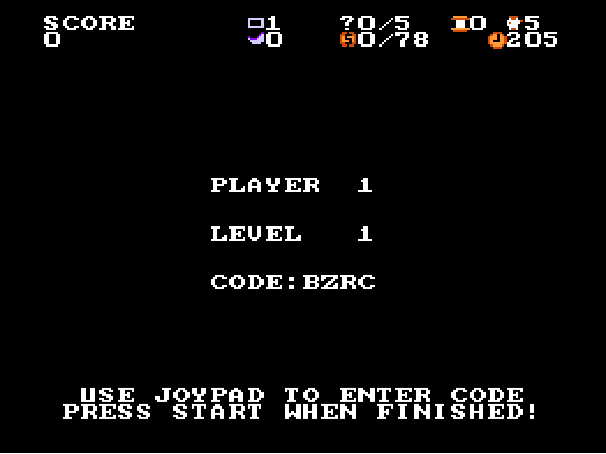
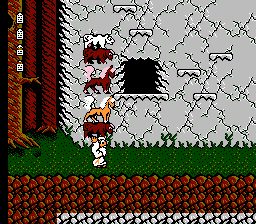
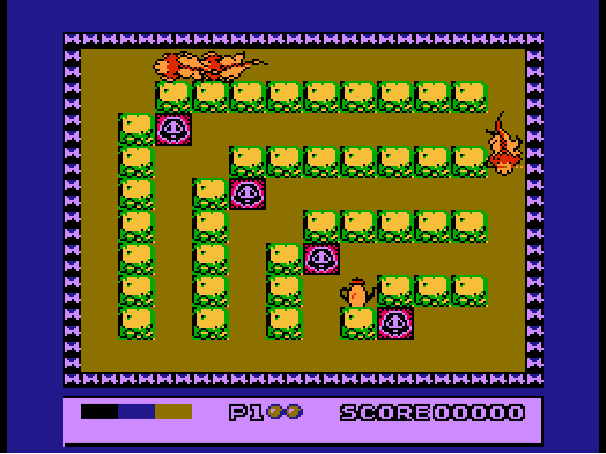
According to the instruction manual, the player controls the biblical figure Moses as he leads the Israelites to the Promised Land, meaning he goes through a labyrinth. Moses has the ability to shoot glowing "W"s, which signify the word of God, to defeat enemies and remove obstacles. To finish each level, Moses must acquire five question marks as well as a certain amount of manna while avoiding enemies such as magicians and soldiers. After a level is completed, the player must answer five multiple choice Bible-related questions before advancing to the next level. After answering enough questions correctly, the player is rewarded with an extra life. The final 50 levels are a mirror of the first 50 with tougher enemies. At the intro screen, players can skip ahead in intervals of five levels until level 81.
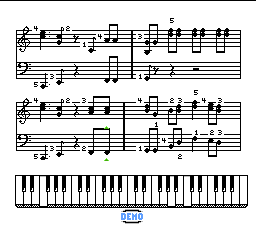
The background music of the Exodus levels is to the theme of "Father Abraham" (a popular Christian children's song named after an iconic figure of the Old Testament).
From Wikipedia's article Exodus: Journey to the Promised Land
Keyboard controls
| NES | Player 1 | Player 2 |
|---|---|---|
| D-pad | ↑↓←→ | IKJL |
| B | Z | N |
| A | X | M |
| Select | Shift | B |
| Start | Enter | Space |
Hotkeys
- 1 Quick save state
- 2 Quick load state
- 3 Change save slot
Gamepads are detected when you press a button. Remap any key from the emulator’s Controls menu (gear icon).
Online, both players use the Player 1 keys (or a gamepad) on their own computer. Saving, loading and pausing are off while you play online.
From the manual, page 5
Live chat
Connecting…
Keyboard controls
| NES | Player 1 | Player 2 |
|---|---|---|
| D-pad | ↑↓←→ | IKJL |
| B | Z | N |
| A | X | M |
| Select | Shift | B |
| Start | Enter | Space |
Hotkeys
- 1 Quick save state
- 2 Quick load state
- 3 Change save slot
Gamepads are detected when you press a button. Remap any key from the emulator’s Controls menu (gear icon).
Online, both players use the Player 1 keys (or a gamepad) on their own computer. Saving, loading and pausing are off while you play online.
From the manual, page 5
2.5 Could be better
Players 67 · 74 votes
No critic scores found for this game: this is the players' rating.
Review scorecard
- Graphics 2.5 out of 5 Overall fallback
- Sound 2.5 out of 5 Overall fallback
- Control 2.5 out of 5 Overall fallback
- Fun Factor 2.5 out of 5 Overall fallback
Overall fallback: Players 67 · 74 votes. The same 67/100 overall rating fills missing categories using the face scale; these are not separate category scores. Player rating; no critic scores available.
Full reviews
Play online
Play with a friend on another computer. Host a room and send them the link, or list it in Open rooms for anyone to join; they play as Player 2 and you both see the same game.
Press Start Game first.
Go live
Let anyone watch you play, live in their browser. They see your game as you play it, and your online game when you host a room.
Press Start Game first.


Comments