Dekitate High School

0 plays 1995 #Strategy
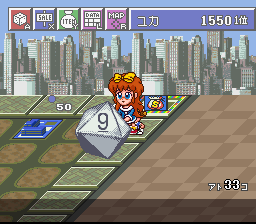
Dekitate High School (できたてハイスクール) is a Super Famicom video game that was released to an exclusively Japanese market in 1995 and was considered to be the first "high school simulation" video game to be released for the Super Famicom. Famed Japanese illustrator Nishiki Yoshimune would draw the cover art for the game, while the actual character design was done by the in-house staff at C-Lab.
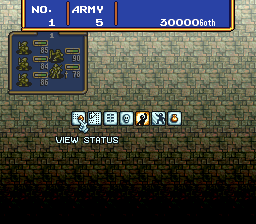
The game involves going through a day of high school in Japan as a teacher while managing a star pupil to good grades and popularity. Players can even build their own high schools for the purpose of gameplay, making this game similar to SimCity. A massive amount of yen is given at the start; so players can assign all the classes and even create yards of grass for students to loiter in between classes. Socializing with an assigned student will be more than just teaching her kanji and arithmetic lessons. Menus and multiple choices are used to get through the game with a first-person perspective.
This is the Japanese release, so its text is in Japanese.
From Wikipedia's article Dekitate High School, licensed under CC BY-SA 4.0
Keyboard controls
| SNES | Player 1 | Player 2 |
|---|---|---|
| D-pad | ↑↓←→ | IKJL |
| A | Z | M |
| B | X | N |
| X | A | U |
| Y | S | H |
| L | Q | Y |
| R | E | O |
| Select | Shift | B |
| Start | Enter | Space |
Hotkeys
- 1 Quick save state
- 2 Quick load state
- 3 Change save slot
Gamepads are detected when you press a button. Remap any key from the emulator’s Controls menu (gear icon).
Online, both players use the Player 1 keys (or a gamepad) on their own computer. Saving, loading and pausing are off while you play online.
Live chat
Connecting…
Keyboard controls
| SNES | Player 1 | Player 2 |
|---|---|---|
| D-pad | ↑↓←→ | IKJL |
| A | Z | M |
| B | X | N |
| X | A | U |
| Y | S | H |
| L | Q | Y |
| R | E | O |
| Select | Shift | B |
| Start | Enter | Space |
Hotkeys
- 1 Quick save state
- 2 Quick load state
- 3 Change save slot
Gamepads are detected when you press a button. Remap any key from the emulator’s Controls menu (gear icon).
Online, both players use the Player 1 keys (or a gamepad) on their own computer. Saving, loading and pausing are off while you play online.
No reviews yet
We found no critic scores for this game, and too few players have rated it.
Review scorecard
- Graphics — Not scored Unavailable
- Sound — Not scored Unavailable
- Control — Not scored Unavailable
- Fun Factor — Not scored Unavailable
No category score or overall rating is available for the unscored slots.
Full reviews
Play online
Play with a friend on another computer. Host a room and send them the link, or list it in Open rooms for anyone to join; they play as Player 2 and you both see the same game.
Press Start Game first.
Go live
Let anyone watch you play, live in their browser. They see your game as you play it, and your online game when you host a room.
Press Start Game first.
Comments