Front Mission

0 plays 1995 #Strategy
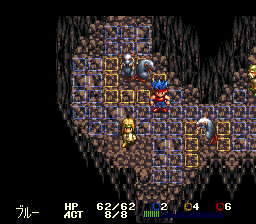
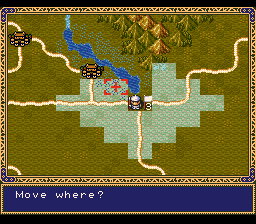
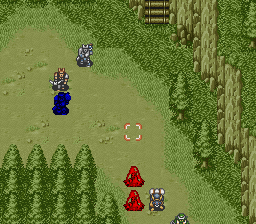
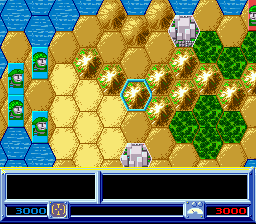
Front Mission is a tactical role-playing game developed by G-Craft and published by Square for the Super Famicom. It was originally released only in Japan on February 24, 1995. Front Mission is the first main entry and the first entry overall in the Front Mission series. Front Mission is part of a serialized storyline that follows the stories of various characters and their struggles involving mecha known as wanzers. A direct port of the game was released for the WonderSwan Color in Japan on July 12, 2002.
A remake of the game developed by Square Enix Co., Ltd. was released for the PlayStation in Japan on October 23, 2003, titled Front Mission 1st. It included new content and offered a new USN scenario to play through. Front Mission 1st was then ported to the Nintendo DS with more additional content and was released in Japan on March 22, 2007. Only the Nintendo DS port, renamed as Front Mission, was released in North America on October 23, 2007.
A further remake of Front Mission 1st, titled Front Mission 1st: Remake (Japanese: フロントミッション ザ・ファースト:リメイク), was developed and published by Forever Entertainment for the Nintendo Switch on November 30, 2022. Ports to PlayStation 4, PlayStation 5, Windows, Xbox One, and Xbox Series X/S were released on June 30, 2023.
It came out only in Japan; this version has an unofficial English fan translation.
From Wikipedia's article Front Mission (video game)
Keyboard controls
| SNES | Player 1 | Player 2 |
|---|---|---|
| D-pad | ↑↓←→ | IKJL |
| A | Z | M |
| B | X | N |
| X | A | U |
| Y | S | H |
| L | Q | Y |
| R | E | O |
| Select | Shift | B |
| Start | Enter | Space |
Hotkeys
- 1 Quick save state
- 2 Quick load state
- 3 Change save slot
Gamepads are detected when you press a button. Remap any key from the emulator’s Controls menu (gear icon).
Online, both players use the Player 1 keys (or a gamepad) on their own computer. Saving, loading and pausing are off while you play online.
Live chat
Connecting…
Keyboard controls
| SNES | Player 1 | Player 2 |
|---|---|---|
| D-pad | ↑↓←→ | IKJL |
| A | Z | M |
| B | X | N |
| X | A | U |
| Y | S | H |
| L | Q | Y |
| R | E | O |
| Select | Shift | B |
| Start | Enter | Space |
Hotkeys
- 1 Quick save state
- 2 Quick load state
- 3 Change save slot
Gamepads are detected when you press a button. Remap any key from the emulator’s Controls menu (gear icon).
Online, both players use the Player 1 keys (or a gamepad) on their own computer. Saving, loading and pausing are off while you play online.
4.5 Great job!
Critics 86 · 7 reviews
Review scorecard
- Graphics 4.5 out of 5 Overall fallback
- Sound 4.5 out of 5 Overall fallback
- Control 4.5 out of 5 Overall fallback
- Fun Factor 4.5 out of 5 Overall fallback
Overall fallback: Critics 86 · 7 reviews. Overall source The same 86/100 overall rating fills missing categories using the face scale; these are not separate category scores.
What the reviews talk about
Key wordsfun
What the critics said
Nintendo Power called the game "a stark, futuristic Advance Wars without the happy combatants and vehicle variety."
— Nintendo Power
From the Reception section of Wikipedia's Front Mission (video game) article.
Scores
- 93 Consoles +1995 93/100 (SNES)
- 90 Nintendo Life2016 9/10 (SNES)
- 88 Super Play1995 88% (SNES)
- 86 Mega Fun1995 86/100 (SNES)
- 85 Video Games1995 85% (SNES)
- 85 CD Consoles1995 17/20 (SNES)
- 78 Famitsu 31/40 (SNES) ; 30/40 (WS) ; 28/40 (PS1)
- 80 GameSpy 4/5 (NDS) · other versions
- 78 IGN2007 78% (NDS) · other versions
- 75 1Up.com2007 75/100 (NDS) · other versions
- 70 Eurogamer2008 7/10 (NDS) · other versions
- 70 GameRevolution2015 C+ (NDS) · other versions
- 70 Game Informer2008 70/100 (NDS) · other versions
- 70 GamesRadar+2007 3.5/5 (NDS) · other versions
- 65 Nintendo Power 65/100 (NDS) · other versions
From the review table in Wikipedia's Front Mission (video game) article.
Full reviews
Play online
Play with a friend on another computer. Host a room and send them the link, or list it in Open rooms for anyone to join; they play as Player 2 and you both see the same game.
Press Start Game first.
Go live
Let anyone watch you play, live in their browser. They see your game as you play it, and your online game when you host a room.
Press Start Game first.
Comments