Barkley Shut Up and Jam!

0 plays 1994 #Sport
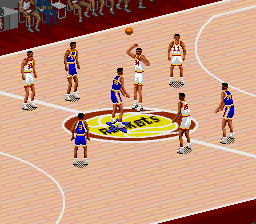
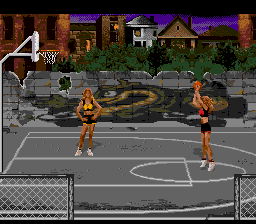
Barkley Shut Up and Jam! is a basketball video game originally developed and published by Accolade for the Sega Genesis in March 1994. The game is the first entry in the Barkley Shut Up and Jam series, featuring former NBA MVP Charles Barkley prominently and as one of the playable characters.
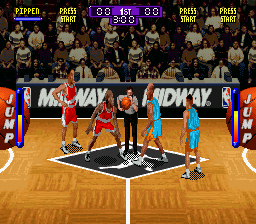
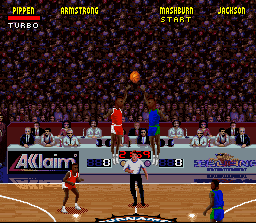
Featuring arcade-style gameplay similar to Midway's NBA Jam but closely following the rules seen in street basketball, players compete with either CPU-controlled opponents or against other players in matches across various cities of the United States. Originally known as Charles Barkley Basketball during development and initially released on the Genesis, it was later ported to the Super Nintendo Entertainment System and first released on North America in June 1994 and this version was released months later in both Japan and Europe on the same year by Den'Z and Sony Electronic Publishing respectively.
Barkley Shut Up and Jam! received a mixed reception when it was released on both platforms, with reviewers praising the graphics, sound and multiplayer, while others criticized the controls, lackluster animations and gameplay, with critics also comparing the game with NBA Jam. Ports for the PC and Atari Jaguar were in development but never released. A sequel, Barkley Shut Up and Jam 2, was exclusively released for the Genesis in 1995. The game and its sequel have since received newer ports without Barkley's branding under the name of Hoops Shut Up and Jam!.
From Wikipedia's article Barkley Shut Up and Jam!
Keyboard controls
| SNES | Player 1 | Player 2 |
|---|---|---|
| D-pad | ↑↓←→ | IKJL |
| A | Z | M |
| B | X | N |
| X | A | U |
| Y | S | H |
| L | Q | Y |
| R | E | O |
| Select | Shift | B |
| Start | Enter | Space |
Hotkeys
- 1 Quick save state
- 2 Quick load state
- 3 Change save slot
Gamepads are detected when you press a button. Remap any key from the emulator’s Controls menu (gear icon).
Online, both players use the Player 1 keys (or a gamepad) on their own computer. Saving, loading and pausing are off while you play online.
Live chat
Connecting…
Keyboard controls
| SNES | Player 1 | Player 2 |
|---|---|---|
| D-pad | ↑↓←→ | IKJL |
| A | Z | M |
| B | X | N |
| X | A | U |
| Y | S | H |
| L | Q | Y |
| R | E | O |
| Select | Shift | B |
| Start | Enter | Space |
Hotkeys
- 1 Quick save state
- 2 Quick load state
- 3 Change save slot
Gamepads are detected when you press a button. Remap any key from the emulator’s Controls menu (gear icon).
Online, both players use the Player 1 keys (or a gamepad) on their own computer. Saving, loading and pausing are off while you play online.
2.5 Could be better
GameRankings 64%
Review scorecard
- Graphics 2.5 out of 5 Overall fallback
- Sound 2.5 out of 5 Overall fallback
- Control 2.5 out of 5 Overall fallback
- Fun Factor 2.5 out of 5 Overall fallback
Overall fallback: GameRankings 64%. Overall source The same 64/100 overall rating fills missing categories using the face scale; these are not separate category scores.
What the reviews talk about
Key wordstightresponsiveplayable
Scores
- 78 GamePro 16.5 / 20; 15.5 / 20
- 64 Nintendo Power 12.8 / 20
- 40 AllGame1998 2/5; 2/5
- 56 Computer and Video Games 56 / 100 · other versions
From the review table in Wikipedia's Barkley Shut Up and Jam! article.
Full reviews
Play online
Play with a friend on another computer. Host a room and send them the link, or list it in Open rooms for anyone to join; they play as Player 2 and you both see the same game.
Press Start Game first.
Go live
Let anyone watch you play, live in their browser. They see your game as you play it, and your online game when you host a room.
Press Start Game first.
Comments