Baby Pac-Man
48K plays 1982 #Action#Shooter
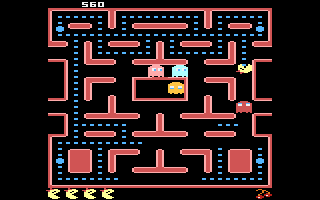
Baby Pac-Man is a hybrid maze and pinball game released in arcades by Bally Midway on October 11, 1982, nine months after the release of Ms. Pac-Man. The cabinet consists of a 13-inch video screen seated above a shortened, horizontal pinball table. The combination fits into roughly the same size space as an upright arcade machine. 7,000 units were produced.
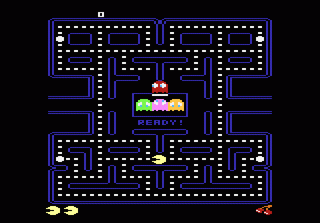
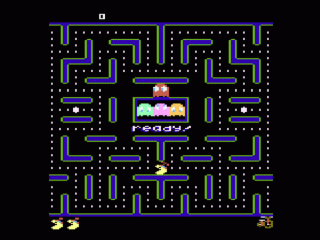
Play begins on the video screen, where the player controls Baby Pac-Man through a maze. Play mechanics are similar to Pac-Man in that the object is to navigate the maze while gobbling dots and avoiding ghosts. In contrast to earlier games in the series, Baby Pac-Man's maze starts with no energizers, which allow Baby Pac-Man to eat the ghosts. Instead, there are two vertical chutes at the bottom edge of the screen, which suspend video play and transfer the game to the pinball table located just below the monitor when the player travels down either of them.
The mechanical pinball section operates as a traditional, though smaller, pinball table. The player hits targets with a metal ball using two button-operated flippers. The player may earn energizers, gain new fruit bonuses, and increase tunnel speed, all of which are used in the video mode. After losing a ball, the game resumes on the video screen, but with the chutes closed. The player must clear the maze or lose a life to reopen the chutes. The game ends when the player runs out of lives.
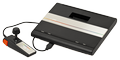
In 2019, Bob DeCrescenzo programmed a port of this hybrid game for the Atari 7800 home console, and the game was subsequently published by AtariAge. It was a very successful port graphically almost identical to the arcade original.
Text: Wikipedia via RetroGames.cz, licensed under CC BY-SA 3.0
Keyboard controls
| Atari 7800 | Player 1 | Player 2 |
|---|---|---|
| D-pad | ↑↓←→ | IKJL |
| Button 1 | Z | N |
| Button 2 | X | M |
| Select | Shift | |
| Reset | Enter | |
| Pause | P |
Hotkeys
- 1 Quick save state
- 2 Quick load state
- 3 Change save slot
Gamepads are detected when you press a button. Remap any key from the emulator’s Controls menu (gear icon).
Live chat
Connecting…
Keyboard controls
| Atari 7800 | Player 1 | Player 2 |
|---|---|---|
| D-pad | ↑↓←→ | IKJL |
| Button 1 | Z | N |
| Button 2 | X | M |
| Select | Shift | |
| Reset | Enter | |
| Pause | P |
Hotkeys
- 1 Quick save state
- 2 Quick load state
- 3 Change save slot
Gamepads are detected when you press a button. Remap any key from the emulator’s Controls menu (gear icon).
Comments