ALF
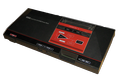
37K plays 1989 #Action#Platform
ALF is an action-adventure video game developed by Nexa and released by Sega for the Sega Master System in 1989. It is based on the American television series ALF. Players control the title character as he attempts to locate parts with which to repair his spaceship, so he can meet up with his friends Skip and Rhonda on the planet Mars.
The game is the only home console game based on the ALF television show. Other ALF games have been released for various computer systems, including ALF: The First Adventure, the first ALF game. A couple of edutainment games based on the character were also released in later years: ALF's US Geography and ALF's Thinking Skills.
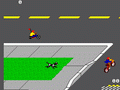
The player controls ALF, who must collect the necessary items and solve puzzles to repair ALF's spaceship. The game features several locations through which players can roam freely: ALF's house, street, basement of the house, ALF's backyard and a pond in the backyard. The player must collect various objects to progress in the game: a stick of salami, which can be used to deal with the bats, scuba gear, allowing him to plunge to the bottom of the pond, and other objects. Items can be found as the game progresses and can also be purchased through the in-game store. Some enemies in the game can be defeated, while others must be dodged, such as bats and street cyclists.
Text: Wikipedia via RetroGames.cz, licensed under CC BY-SA 3.0
Keyboard controls
| SMS | Player 1 | Player 2 |
|---|---|---|
| D-pad | ↑↓←→ | IKJL |
| Button 1 | Z | N |
| Button 2 | X | M |
| Pause | Enter |
Hotkeys
- 1 Quick save state
- 2 Quick load state
- 3 Change save slot
Gamepads are detected when you press a button. Remap any key from the emulator’s Controls menu (gear icon).
Live chat
Connecting…
Keyboard controls
| SMS | Player 1 | Player 2 |
|---|---|---|
| D-pad | ↑↓←→ | IKJL |
| Button 1 | Z | N |
| Button 2 | X | M |
| Pause | Enter |
Hotkeys
- 1 Quick save state
- 2 Quick load state
- 3 Change save slot
Gamepads are detected when you press a button. Remap any key from the emulator’s Controls menu (gear icon).


Comments