Akagawa Jirou: Majo-tachi no Nemuri

0 plays 1995 #Adventure
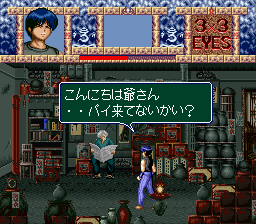
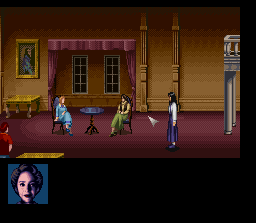
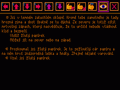
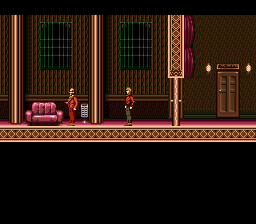
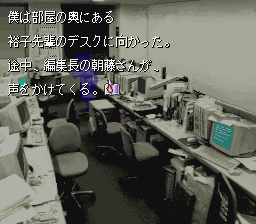
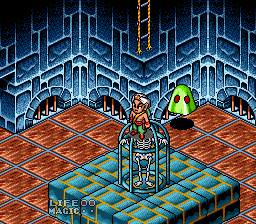
Majo-tachi no Nemuri is a Japanese visual novel first released for the Super Famicom on November 24, 1995. It was based on two works by prolific Japanese mystery author Jirō Akagawa: Majotachi no Tasogare and Majotachi no Nagai Nemuri. The game story is told through text over background graphics and sound effects and music to relate to the story. As the player progresses through the game, they are given points to change the narrative through the protagonist's actions. These action change the flow of the story. The game has multiple endings and after enough are reached in an act, the option to continue the story becomes available allowing the player to advance further into the story.
The protagonist of Majo-tachi no Nemuri is an ordinary office worker. One day he receives a phone call from a childhood female friend saying "Help Me, I'm Going to be Killed." The next day he travels to the mountain village area where the villagers are constantly fearful of the residents in the valley.
This is the Japanese release, so its text is in Japanese.
From Wikipedia's article Majo-tachi no Nemuri, licensed under CC BY-SA 4.0
Keyboard controls
| SNES | Player 1 | Player 2 |
|---|---|---|
| D-pad | ↑↓←→ | IKJL |
| A | Z | M |
| B | X | N |
| X | A | U |
| Y | S | H |
| L | Q | Y |
| R | E | O |
| Select | Shift | B |
| Start | Enter | Space |
Hotkeys
- 1 Quick save state
- 2 Quick load state
- 3 Change save slot
Gamepads are detected when you press a button. Remap any key from the emulator’s Controls menu (gear icon).
Online, both players use the Player 1 keys (or a gamepad) on their own computer. Saving, loading and pausing are off while you play online.
Live chat
Connecting…
Keyboard controls
| SNES | Player 1 | Player 2 |
|---|---|---|
| D-pad | ↑↓←→ | IKJL |
| A | Z | M |
| B | X | N |
| X | A | U |
| Y | S | H |
| L | Q | Y |
| R | E | O |
| Select | Shift | B |
| Start | Enter | Space |
Hotkeys
- 1 Quick save state
- 2 Quick load state
- 3 Change save slot
Gamepads are detected when you press a button. Remap any key from the emulator’s Controls menu (gear icon).
Online, both players use the Player 1 keys (or a gamepad) on their own computer. Saving, loading and pausing are off while you play online.
No reviews yet
We found no critic scores for this game, and too few players have rated it.
Review scorecard
- Graphics — Not scored Unavailable
- Sound — Not scored Unavailable
- Control — Not scored Unavailable
- Fun Factor — Not scored Unavailable
No category score or overall rating is available for the unscored slots.
Full reviews
Play online
Play with a friend on another computer. Host a room and send them the link, or list it in Open rooms for anyone to join; they play as Player 2 and you both see the same game.
Press Start Game first.
Go live
Let anyone watch you play, live in their browser. They see your game as you play it, and your online game when you host a room.
Press Start Game first.

Comments