Airwolf

81K plays 1988 #Action#Shooter#Simulation
Airwolf is a series of shooter video games based on the TV series of the same name. The first game based on the series was released for the ZX Spectrum by Elite Systems in 1984. The game also was released on the BBC Micro, Commodore 16, Commodore 64, Amstrad CPC, and Atari 8-bit computers. A sequel, Airwolf II, was released in 1986.
An arcade game based on the series was developed by Kyugo and released in 1987. A Famicom port of this game was released in 1988. Kyugo also developed a Sega Genesis game based on the series, called Super Airwolf. In the US, this game was released as CrossFire without the Airwolf license or theme song. This was not the first CrossFire game from Kyugo. They had previously developed a CrossFire game for the Famicom, which was an action platformer. This game was going to be released in the US, but the release was cancelled.
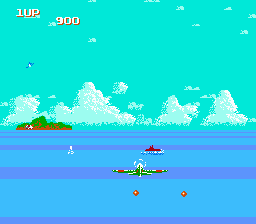
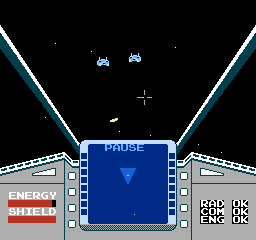
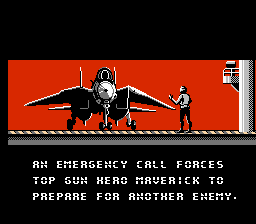
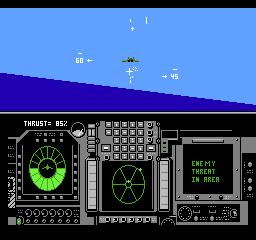
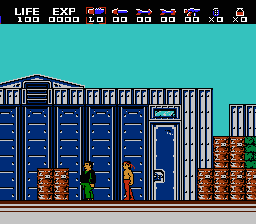
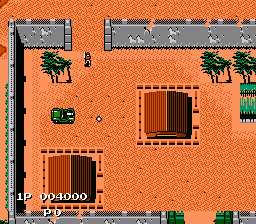
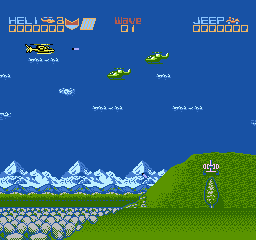
The NES version was not a port of the arcade game, but was instead developed by Beam Software and released by Acclaim in 1988. The game places the player in the cockpit of the Airwolf helicopter attempting to shoot down enemy aircraft and rescue prisoners.
From Wikipedia's article Airwolf (video game)
Keyboard controls
| NES | Player 1 | Player 2 |
|---|---|---|
| D-pad | ↑↓←→ | IKJL |
| B | Z | N |
| A | X | M |
| Select | Shift | B |
| Start | Enter | Space |
Hotkeys
- 1 Quick save state
- 2 Quick load state
- 3 Change save slot
Gamepads are detected when you press a button. Remap any key from the emulator’s Controls menu (gear icon).
Online, both players use the Player 1 keys (or a gamepad) on their own computer. Saving, loading and pausing are off while you play online.
From the manual, page 4
Live chat
Connecting…
Keyboard controls
| NES | Player 1 | Player 2 |
|---|---|---|
| D-pad | ↑↓←→ | IKJL |
| B | Z | N |
| A | X | M |
| Select | Shift | B |
| Start | Enter | Space |
Hotkeys
- 1 Quick save state
- 2 Quick load state
- 3 Change save slot
Gamepads are detected when you press a button. Remap any key from the emulator’s Controls menu (gear icon).
Online, both players use the Player 1 keys (or a gamepad) on their own computer. Saving, loading and pausing are off while you play online.
From the manual, page 4
2.5 Could be better
Players 63 · 219 votes
No critic scores found for this game: this is the players' rating.
Review scorecard
- Graphics 2.5 out of 5 Overall fallback
- Sound 2.5 out of 5 Overall fallback
- Control 2.5 out of 5 Overall fallback
- Fun Factor 2.5 out of 5 Overall fallback
Overall fallback: Players 63 · 219 votes. The same 63/100 overall rating fills missing categories using the face scale; these are not separate category scores. Player rating; no critic scores available.
What the reviews talk about
Key wordsdull
Full reviews
Play online
Play with a friend on another computer. Host a room and send them the link, or list it in Open rooms for anyone to join; they play as Player 2 and you both see the same game.
Press Start Game first.
Go live
Let anyone watch you play, live in their browser. They see your game as you play it, and your online game when you host a room.
Press Start Game first.

Comments