Zork Zero
0 plays 1988 #Adventure
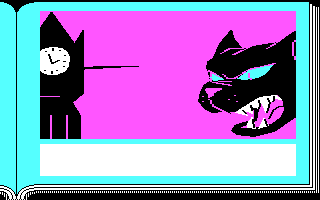
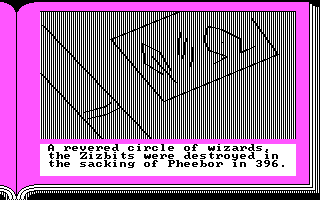
Zork Zero: The Revenge of Megaboz is an interactive fiction video game, written by Steve Meretzky over nearly 18 months and published by Infocom in 1988. Although it is the ninth and last Zork game released by Infocom before the company's closure, Zork Zero takes place before the previous eight games (Zork I, Zork II, Zork III, Enchanter, Sorcerer, Wishbringer, Spellbreaker and Beyond Zork). Unlike its predecessors, Zork Zero is a vast game, featuring a graphical interface with scene-based colors and borders, an interactive map, menus, an in-game hints system, an interactive Encyclopedia Frobozzica, and playable graphical mini-games. The graphics were created by computer artist James Shook. It is Infocom's thirty-second game.
Previous games by Infocom used a parser evolved from the one in Zork I, but for Zork Zero, they designed a new LALR parser from scratch. Zork Zero's parser has some innovative features. If it notices if a player is having trouble with it, it offers helpful suggestions, such as sample commands.
Three of the four graphical mini-games are based on older logic puzzles. Peggleboz is a version of peg solitaire, Snarfem is Nim, and the Tower of Bozbar is Towers of Hanoi. Other puzzles based on established logic puzzle types include a river-crossing puzzle with a fox, a rooster, and a worm, and a Knights and Knaves puzzle in which violently xenophobic Veritassi and Prevaricons are truth-tellers and liars respectively, and peaceful Wishyfoo are alternators.
From Wikipedia's article Zork Zero, licensed under CC BY-SA 4.0
Controls
This is a PC game: it uses the keyboard the way it did under MS-DOS, and the mouse where the game supports it. Click the game screen first so it gets your key presses.
Many DOS games start with a menu or ask a question first — read the screen and answer with the keyboard. Arrow keys, Enter, Space, Ctrl and Alt are the usual game keys.
Live chat
Connecting…
Controls
This is a PC game: it uses the keyboard the way it did under MS-DOS, and the mouse where the game supports it. Click the game screen first so it gets your key presses.
Many DOS games start with a menu or ask a question first — read the screen and answer with the keyboard. Arrow keys, Enter, Space, Ctrl and Alt are the usual game keys.
No reviews yet
We found no critic scores for this game, and too few players have rated it.
Review scorecard
- Graphics — Not scored Unavailable
- Sound — Not scored Unavailable
- Control — Not scored Unavailable
- Fun Factor — Not scored Unavailable
No category score or overall rating is available for the unscored slots.
Comments