Wing Commander: The Secret Missions

0 plays 1993 #Simulation
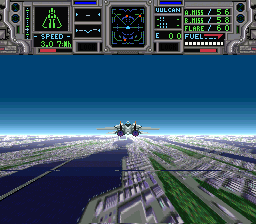
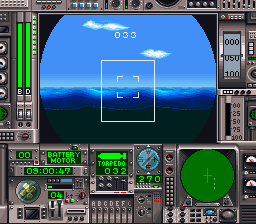
Wing Commander is the first game in Chris Roberts' space flight simulation Wing Commander franchise by Origin Systems. The game was first released for MS-DOS on September 26, 1990, and was later ported to the Amiga, CD32 (256-color), Sega CD and the Super Nintendo Entertainment System, and re-released for the PC as Wing Commander I in 1994. An enhanced remake Super Wing Commander was made for the 3DO in 1994, and later ported to the Macintosh.
Two expansion packs for the game were released: Wing Commander: The Secret Missions in November 1990 and Wing Commander: The Secret Missions 2: Crusade in March 1991.
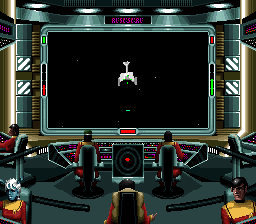
The game was considered a major step forward for space dogfight games, featuring graphics, audio, and a story campaign that invited comparison to the Star Wars films. Set in the year 2654 and characterized by Chris Roberts as "World War II in space", it features a multinational cast of pilots from the "Terran Confederation" flying missions against the predatory, aggressive Kilrathi, a feline warrior race (heavily inspired by the Kzinti of Larry Niven's Known Space universe).
From Wikipedia's article Wing Commander (video game), licensed under CC BY-SA 4.0
Keyboard controls
| SNES | Player 1 | Player 2 |
|---|---|---|
| D-pad | ↑↓←→ | IKJL |
| A | Z | M |
| B | X | N |
| X | A | U |
| Y | S | H |
| L | Q | Y |
| R | E | O |
| Select | Shift | B |
| Start | Enter | Space |
Hotkeys
- 1 Quick save state
- 2 Quick load state
- 3 Change save slot
Gamepads are detected when you press a button. Remap any key from the emulator’s Controls menu (gear icon).
Online, both players use the Player 1 keys (or a gamepad) on their own computer. Saving, loading and pausing are off while you play online.
Live chat
Connecting…
Keyboard controls
| SNES | Player 1 | Player 2 |
|---|---|---|
| D-pad | ↑↓←→ | IKJL |
| A | Z | M |
| B | X | N |
| X | A | U |
| Y | S | H |
| L | Q | Y |
| R | E | O |
| Select | Shift | B |
| Start | Enter | Space |
Hotkeys
- 1 Quick save state
- 2 Quick load state
- 3 Change save slot
Gamepads are detected when you press a button. Remap any key from the emulator’s Controls menu (gear icon).
Online, both players use the Player 1 keys (or a gamepad) on their own computer. Saving, loading and pausing are off while you play online.
No reviews yet
We found no critic scores for this game, and too few players have rated it.
Review scorecard
- Graphics — Not scored Unavailable
- Sound — Not scored Unavailable
- Control — Not scored Unavailable
- Fun Factor — Not scored Unavailable
No category score or overall rating is available for the unscored slots.
Full reviews
Play online
Play with a friend on another computer. Host a room and send them the link, or list it in Open rooms for anyone to join; they play as Player 2 and you both see the same game.
Press Start Game first.
Go live
Let anyone watch you play, live in their browser. They see your game as you play it, and your online game when you host a room.
Press Start Game first.

Comments