Super Mario Kart

0 plays 1992 #Racing
Super Mario Kart is a 1992 kart racing game developed and published by Nintendo for the Super Nintendo Entertainment System (SNES). The first game in the Mario Kart series, it was released in Japan on August 27, 1992, North America on September 1, 1992, and Europe on January 21, 1993. Selling 8.76 million copies worldwide, the game went on to become the fourth best-selling SNES game of all time. Super Mario Kart was re-released on the Wii's Virtual Console in 2009, on the Wii U's Virtual Console in 2013, and on the New Nintendo 3DS's Virtual Console in 2016. Nintendo re-released Super Mario Kart in 2017 as part of the company's Super NES Classic Edition.
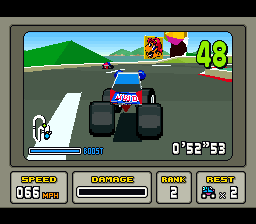
In Super Mario Kart, the player takes control of one of eight Mario series characters, each with differing capabilities. In single-player mode, players can race against computer-controlled characters in 4 multi-race cups consisting of 20 tracks (5 in each cup) over three difficulty levels (50cc, 100cc and 150cc). During the races, offensive and speed boosting power-ups can be used to gain an advantage. Alternatively, players can race against the clock in a Time Trial mode. In multiplayer mode, two players can simultaneously take part in the cups or can race against each other one-on-one in Match Race mode. In a third multiplayer mode – Battle Mode – the aim is to defeat the other players by attacking them with power-ups, destroying balloons which surround each kart.
From Wikipedia's article Super Mario Kart
Keyboard controls
| SNES | Player 1 | Player 2 |
|---|---|---|
| D-pad | ↑↓←→ | IKJL |
| A | Z | M |
| B | X | N |
| X | A | U |
| Y | S | H |
| L | Q | Y |
| R | E | O |
| Select | Shift | B |
| Start | Enter | Space |
Hotkeys
- 1 Quick save state
- 2 Quick load state
- 3 Change save slot
Gamepads are detected when you press a button. Remap any key from the emulator’s Controls menu (gear icon).
Online, both players use the Player 1 keys (or a gamepad) on their own computer. Saving, loading and pausing are off while you play online.
Live chat
Connecting…
Keyboard controls
| SNES | Player 1 | Player 2 |
|---|---|---|
| D-pad | ↑↓←→ | IKJL |
| A | Z | M |
| B | X | N |
| X | A | U |
| Y | S | H |
| L | Q | Y |
| R | E | O |
| Select | Shift | B |
| Start | Enter | Space |
Hotkeys
- 1 Quick save state
- 2 Quick load state
- 3 Change save slot
Gamepads are detected when you press a button. Remap any key from the emulator’s Controls menu (gear icon).
Online, both players use the Player 1 keys (or a gamepad) on their own computer. Saving, loading and pausing are off while you play online.
5.0 Outstanding!
GameRankings 94%
Review scorecard
- Graphics 5.0 out of 5 Overall fallback
- Sound 5.0 out of 5 Overall fallback
- Control 5.0 out of 5 Overall fallback
- Fun Factor 5.0 out of 5 Overall fallback
Overall fallback: GameRankings 94%. Overall source The same 94/100 overall rating fills missing categories using the face scale; these are not separate category scores.
What the reviews talk about
Key wordsaddictivechallengingexcellentfun
What the critics said
Entertainment Weekly wrote that although the game might appear to be a "cynical attempt by Nintendo to cash in on its Super Mario franchise" the review concluded that "plunking the familiar characters down in souped-up go-carts actually makes for a delightful racing game."
— Entertainment Weekly
GamePro said the game "does an excellent job of capturing the thrill of Go-cart racing, and wraps it up in the familiar, fun, Mario-land atmosphere."
— GamePro
From the Reception section of Wikipedia's Super Mario Kart article.
Scores
- 100 HonestGamers 10/10
- 100 Thunderbolt2004 10/10
- 96 Computer and Video Games1992 96%
- 95 Nintendojo 9.5/10
- 93 Electronic Games1992 93%
- 92 Mean Machines 92%
- 90 Bad Influence!1992 9/10
- 90 Cubed32003 9/10
- 90 SNES Force1993 90%
- 85 Electronic Gaming Monthly1992 9/10, 9/10, 8/10, 8/10
- 80 Famitsu1992 8/10, 9/10, 8/10, 7/10
From the review table in Wikipedia's Super Mario Kart article.
Full reviews
Play online
Play with a friend on another computer. Host a room and send them the link, or list it in Open rooms for anyone to join; they play as Player 2 and you both see the same game.
Press Start Game first.
Go live
Let anyone watch you play, live in their browser. They see your game as you play it, and your online game when you host a room.
Press Start Game first.
Comments