Soccer Kid
0 plays 1993 #Platform
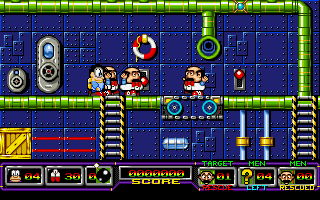
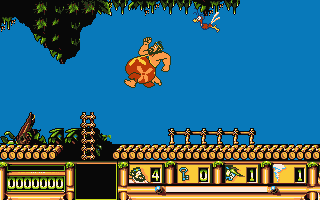
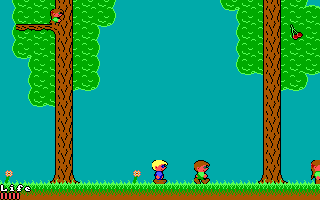
Soccer Kid is a 1993 side-scrolling platform game developed and published by Krisalis Software in Europe for the Amiga. The player assumes the role of the titular main protagonist who travels across several countries around the world to repair the World Cup by retrieving pieces that were scattered by the alien pirate Scab, the main antagonist who failed to steal and add it to his trophy collection in a robbery attempt. Its gameplay mainly consists of platforming and exploration elements, with a main single-button or two-button configuration, depending on the controls setup.
Conceived by Dean Lester, Soccer Kid was created by most of the same team who previously worked on the Manchester United franchise at Krisalis Software and uses the same game engine as with Arabian Nights, another title made by the developer. After making multiple association football titles, the team experimented with creating a project that fused both football and platform game elements in 1992, developing a physics engine dedicated to the soccer ball that proved to be successful internally. Initially released for the Amiga platform, the title was later ported to other home computers and consoles including the 3DO Interactive Multiplayer, Amiga CD32, Atari Jaguar, Game Boy Advance, MS-DOS, PlayStation and Super Nintendo Entertainment System, each one featuring several changes and additions compared to the original version. Conversions for multiple systems were also in development but never released.
From Wikipedia's article Soccer Kid, licensed under CC BY-SA 4.0
Controls
This is a PC game: it uses the keyboard the way it did under MS-DOS, and the mouse where the game supports it. Click the game screen first so it gets your key presses.
Many DOS games start with a menu or ask a question first — read the screen and answer with the keyboard. Arrow keys, Enter, Space, Ctrl and Alt are the usual game keys.
Live chat
Connecting…
Controls
This is a PC game: it uses the keyboard the way it did under MS-DOS, and the mouse where the game supports it. Click the game screen first so it gets your key presses.
Many DOS games start with a menu or ask a question first — read the screen and answer with the keyboard. Arrow keys, Enter, Space, Ctrl and Alt are the usual game keys.
No reviews yet
We found no critic scores for this game, and too few players have rated it.
Review scorecard
- Graphics — Not scored Unavailable
- Sound — Not scored Unavailable
- Control — Not scored Unavailable
- Fun Factor — Not scored Unavailable
No category score or overall rating is available for the unscored slots.
Comments