Samurai Shodown
101K plays 1993 #Action#Fighting
Samurai Shodown is a 1993 fighting game developed and published by SNK for the Neo Geo arcade and home platforms. It is the first installment in the Samurai Shodown series. In contrast to most fighting games at the time, which were set in the modern age and focused primarily on hand-to-hand combat, Samurai Shodown takes place in feudal-era Japan (similar to Kaneko's Shogun Warriors that was released the year prior). It was SNK's first arcade fighting game to focus primarily on weapon-based combat.
Samurai Shodown was a commercial success, becoming Japan's sixth highest-grossing arcade game of 1993 and one of America's top five highest-grossing arcade conversion kits of 1994. It won several Game of the Year awards from Gamest, Electronic Gaming Monthly and the European Computer Trade Show. Samurai Showdown then appeared on other platforms, including the Takara-published Super NES, Sega Genesis, Game Boy and Game Gear versions in 1994. It has since been re-released for various modern platforms as part of the SNK Arcade Classics Vol. 1 (2008), Samurai Shodown Anthology (2008) and Samurai Shodown NeoGeo Collection (2020) compilations, and on the Wii Virtual Console. Hamster Corporation re-released the game as part of their ACA Neo Geo series for the PlayStation 4, Xbox One, Nintendo Switch, Windows, Android and iOS.
From Wikipedia's article Samurai Shodown (1993 video game), licensed under CC BY-SA 4.0
Keyboard controls
| Genesis | Player 1 | Player 2 |
|---|---|---|
| D-pad | ↑↓←→ | IKJL |
| A | Z | N |
| B | X | M |
| C | C | , |
| X | A | Y |
| Y | S | U |
| Z | D | O |
| Mode | Shift | B |
| Start | Enter | Space |
Hotkeys
- 1 Quick save state
- 2 Quick load state
- 3 Change save slot
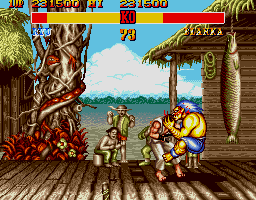
X, Y and Z are for six-button games such as Street Fighter II.
Gamepads are detected when you press a button. Remap any key from the emulator’s Controls menu (gear icon).
Live chat
Connecting…
Keyboard controls
| Genesis | Player 1 | Player 2 |
|---|---|---|
| D-pad | ↑↓←→ | IKJL |
| A | Z | N |
| B | X | M |
| C | C | , |
| X | A | Y |
| Y | S | U |
| Z | D | O |
| Mode | Shift | B |
| Start | Enter | Space |
Hotkeys
- 1 Quick save state
- 2 Quick load state
- 3 Change save slot
X, Y and Z are for six-button games such as Street Fighter II.
Gamepads are detected when you press a button. Remap any key from the emulator’s Controls menu (gear icon).

Comments