Road Fighter
702K plays 1984 #Racing
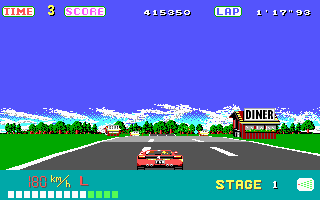
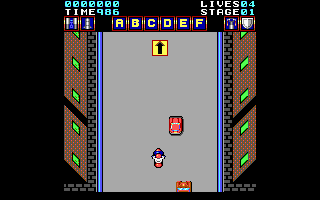
Road Fighter is a car-based arcade game developed by Konami and released in 1984. It also was the first car racing game from Konami. The goal is to reach the finish line within the stages without running out of time, hitting other cars or running out of fuel (fuel is refilled by hitting a special type of car). The game also spawned two sequels in its time, Midnight Run: Road Fighter 2 in 1995 and Winding Heat in 1996, respectively. A Japan-only rebooted sequel was also released in 2010, 14 years after Winding Heat.
The first and second levels contain 4 courses, ranging from grassy plains to an over water bridge to a seashore and finally a forest area. In the arcade version, five stages were contained. Pressing the 'A' button raises the player's speed to around 196 km/h while pressing the 'B' button skyrockets the speed to 400. The player has a limited amount of fuel and can earn more by touching special multi-colored cars. If the player crashes into any other car or slips on occasionally appearing patches of oil, the car will spin out and may crash into the side railings, causing a loss of 5-6 fuel units. The NES version has a total of 6 types of cars, 1 yellow and red, three blue and one truck. Yellow cars will travel along a straight line and occur in large numbers. Red cars are a little less likely to appear, but they will change the lane they are travelling in once to get in the way of the player. Blue cars vary in the way they change their lane. Trucks goes on a straight way, but colliding with them will blow up the player's car. Konami Man will make a cameo appearance, flying by the side of the road if the player progresses to a certain point in the level without crashing.
Text: Wikipedia via RetroGames.cz, licensed under CC BY-SA 3.0
Controls
This is a PC game: it uses the keyboard the way it did under MS-DOS, and the mouse where the game supports it. Click the game screen first so it gets your key presses.
Many DOS games start with a menu or ask a question first — read the screen and answer with the keyboard. Arrow keys, Enter, Space, Ctrl and Alt are the usual game keys.
Comments