Pole Position II
456K plays 1983 #Racing
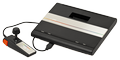
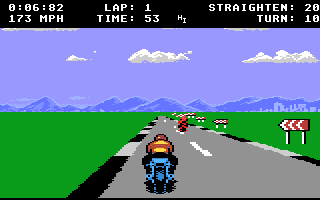
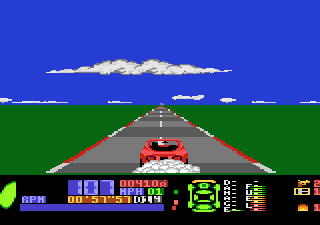
Pole Position II is the sequel to racing simulation game Pole Position, released by Namco for arcades in 1983. As with its predecessor, Namco licensed this game to Atari, Inc. for US manufacture and distribution. Atari Corporation released a port as the pack-in game for its Atari 7800 ProSystem console launch in 1986. Pole Position arcade machines can be converted to Pole Position II by swapping several chips.
The gameplay is the same as in the original Pole Position with three additional tracks to choose from. Like its predecessor, Pole Position II was a major commercial success in arcades, becoming the highest-grossing arcade game of 1984 in the United States, and remaining among the annual highest-grossing arcade games in Japan and the United States through 1987.
The player initially chooses one of four tracks using the steering wheel: Fuji Speedway (from the first game), Test (resembling Indianapolis Motor Speedway), Seaside (resembling the 1982 United States Grand Prix West circuit in Long Beach), and Suzuka Circuit.
The cars have a different color scheme, the explosions now show debris, there are several new billboards, and there is a new opening theme song. The timer is displayed as 'TIME' in the Japanese version (as it was in the original game), and it is displayed as 'UNIT' in the American release.
Pole Position II became the highest-grossing arcade game of 1984 in the United States, just above the original Pole Position, which was previously the highest-grossing arcade game of 1983. Pole Position II was later one of the top five highest-grossing arcade games of 1985, and the sixth highest-grossing arcade game of 1986.
Text: Wikipedia via RetroGames.cz, licensed under CC BY-SA 3.0
Keyboard controls
| Atari 7800 | Player 1 | Player 2 |
|---|---|---|
| D-pad | ↑↓←→ | IKJL |
| Button 1 | Z | N |
| Button 2 | X | M |
| Select | Shift | |
| Reset | Enter | |
| Pause | P |
Hotkeys
- 1 Quick save state
- 2 Quick load state
- 3 Change save slot
Gamepads are detected when you press a button. Remap any key from the emulator’s Controls menu (gear icon).
Comments