Pokemon Pinball: Ruby & Sapphire
0 plays 2003 #Others
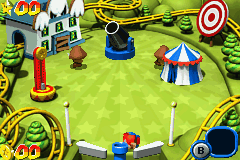
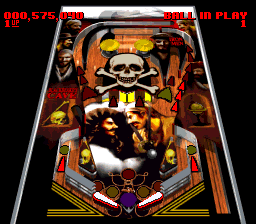
Pokémon Pinball: Ruby & Sapphire is a 2003 pinball game developed by Jupiter and published by The Pokémon Company and Nintendo for the Game Boy Advance handheld game console. It was first revealed at E3 2003. The North American release was done to coincide with the fifth anniversary of the North American release of Pokémon Red and Blue. It is based on Pokémon Ruby and Sapphire, and is a sequel to Pokémon Pinball for the Game Boy Color. In some ways, it plays like a traditional pinball game, where the objective is to get a high score by keeping the ball in play as long as possible and hitting bumpers. In keeping with the theme of Pokémon, it features Pokémon collection, where while the players play pinball, they must also capture the eponymous creatures.
Ruby & Sapphire has received generally positive reception. It was well-received when it was revealed at E3 by publications such as IGN and GameSpy. Its release was similarly well received, with Metacritic giving it an aggregate score of 82/100. It has sold over 1 million copies worldwide, and has received significant praise from review outlets such as Nintendo Power, GamePro, and IGN, the latter awarding it the Game Boy Advance Game of the Month award for August 2003. In spite of the positive reception, some reviewers found it to be an inferior pinball experience, such as TechTV and The Guardian, though felt that Pokémon fans would enjoy it.
From Wikipedia's article Pokémon Pinball: Ruby & Sapphire, licensed under CC BY-SA 4.0
Keyboard controls
| GBA | Player 1 |
|---|---|
| D-pad | ↑↓←→ |
| B | Z |
| A | X |
| L | A |
| R | S |
| Select | Shift |
| Start | Enter |
Hotkeys
- 1 Quick save state
- 2 Quick load state
- 3 Change save slot
Gamepads are detected when you press a button. Remap any key from the emulator’s Controls menu (gear icon).
Live chat
Connecting…
Keyboard controls
| GBA | Player 1 |
|---|---|
| D-pad | ↑↓←→ |
| B | Z |
| A | X |
| L | A |
| R | S |
| Select | Shift |
| Start | Enter |
Hotkeys
- 1 Quick save state
- 2 Quick load state
- 3 Change save slot
Gamepads are detected when you press a button. Remap any key from the emulator’s Controls menu (gear icon).
No reviews yet
We found no critic scores for this game, and too few players have rated it.
Review scorecard
- Graphics — Not scored Unavailable
- Sound — Not scored Unavailable
- Control — Not scored Unavailable
- Fun Factor — Not scored Unavailable
No category score or overall rating is available for the unscored slots.
Comments