MyChess
25K plays 1979 #Puzzle
MyChess is a chess-playing program developed by David Kittinger and first released in 1979 for CP/M, with the MS-DOS version arriving in 1984. It was among the early microcomputer chess programs that achieved competitive results in official computer chess tournaments. MyChess was known for its intelligent search algorithms, configurability, and portability across various 8-bit and 16-bit platforms.
The engine behind MyChess utilized a Type A minimax search with alpha-beta pruning, iterative deepening, and advanced heuristics such as the killer move strategy and capturing move prioritization. These techniques allowed it to analyze multiple ply depths efficiently, adjusting dynamically depending on the game’s complexity. Players could select a skill level between 1 and 9, which controlled the search depth and thus the strength and response time of the program.
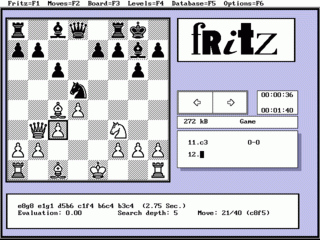
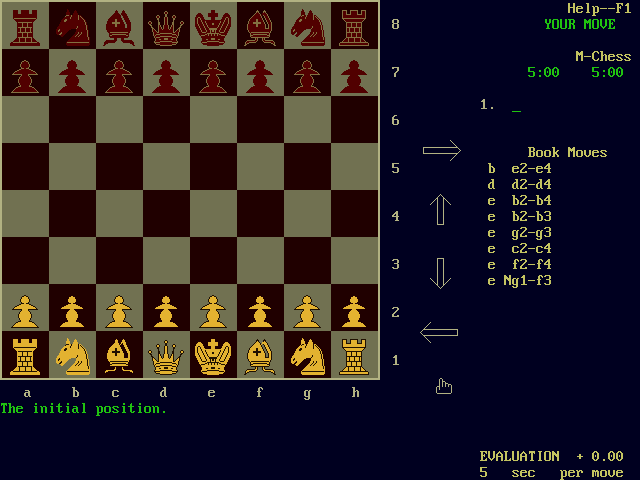
MyChess was praised for its flexibility, allowing users to play against the computer, set up custom board positions, and even switch sides mid-game. It featured algebraic notation for move input and supported move recording to a printer or text file. The MS-DOS version supported high-resolution monochrome and color graphics modes, while other versions used ASCII displays compatible with popular terminals and CP/M machines of the era.
In competition, MyChess proved itself as one of the stronger early chess programs. It won the Fifth West Coast Computer Faire tournament in 1980 and performed well in the 10th ACM North American Computer Chess Championship, where it was the highest-ranked microcomputer. The program held a US Chess Federation rating of 1558 when running on a 4 MHz Z80 processor under tournament conditions.
Though eventually surpassed by stronger engines such as Chessmaster, Fritz, and Rebel, MyChess holds an important place in the history of computer chess. It demonstrated how thoughtful programming and heuristic optimization could bring high-level chess play to personal computers, making it a valuable tool for both casual and serious chess players during the early 1980s.
Text: RetroGames.cz, licensed under CC BY-SA 3.0
Controls
This is a PC game: it uses the keyboard the way it did under MS-DOS, and the mouse where the game supports it. Click the game screen first so it gets your key presses.
Many DOS games start with a menu or ask a question first — read the screen and answer with the keyboard. Arrow keys, Enter, Space, Ctrl and Alt are the usual game keys.
Live chat
Connecting…
Controls
This is a PC game: it uses the keyboard the way it did under MS-DOS, and the mouse where the game supports it. Click the game screen first so it gets your key presses.
Many DOS games start with a menu or ask a question first — read the screen and answer with the keyboard. Arrow keys, Enter, Space, Ctrl and Alt are the usual game keys.

Comments