MotoRodeo

18K plays 1990 #Racing
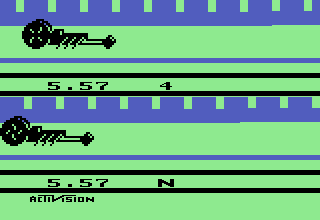
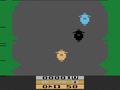
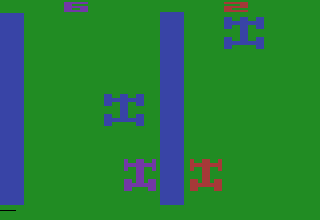
This is a monster truck race that features true split screen action on an Atari 2600. First, you move the joystick(s) up or down to select if this opponent will be a human player or computer, a blazer or a truck and whether it will have tires or trax. Tires allow you to go over obstacles easier, trax make you bounce higher. Then on the next screen, you select weather you are going to do a competition at hard, medium or easy or whether you are going to practice one of the obstacles in the game.
Press the joystick button to accelerate. Move the joystick down to do a wheelie when on the ground. Move the joystick left and right when in the air to control your spin. Move the joystick left and right quickly to escape mud bogs. Press the joystick button and push forward to use a nitro burst if you collected them.
Difficulty switches
Only the left switch is used.
Set it to A for a scoring game in which the player with the most points at the end of the race wins.
Set it to B for a timing race in which the first player across the finish line wins.
Scoring
If the difficulty switch is set to A, the scoring is as follows:
Landing upright and flat from a jump=5 points
Hit a wall=10 points
Crush a car=20 points
Bounce on truck tires on the platform=25 points
Jump to a collapsed ramp=25 points
Touching 50 on the screen=50 points
Finish the race first=100 points
Text: RetroGames.cz, licensed under CC BY-SA 3.0
Keyboard controls
| Atari 2600 | Player 1 | Player 2 |
|---|---|---|
| D-pad | ↑↓←→ | IKJL |
| Fire | Z | N |
| Game Select | Shift | |
| Game Reset | Enter |
Hotkeys
- 1 Quick save state
- 2 Quick load state
- 3 Change save slot
Most games start with Game Reset. Paddle games (Breakout, Kaboom!…) need a gamepad stick.
Gamepads are detected when you press a button. Remap any key from the emulator’s Controls menu (gear icon).
Live chat
Connecting…
Keyboard controls
| Atari 2600 | Player 1 | Player 2 |
|---|---|---|
| D-pad | ↑↓←→ | IKJL |
| Fire | Z | N |
| Game Select | Shift | |
| Game Reset | Enter |
Hotkeys
- 1 Quick save state
- 2 Quick load state
- 3 Change save slot
Most games start with Game Reset. Paddle games (Breakout, Kaboom!…) need a gamepad stick.
Gamepads are detected when you press a button. Remap any key from the emulator’s Controls menu (gear icon).




Comments