Maniac Mansion

77K plays 1987 #Adventure
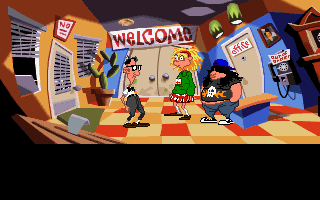
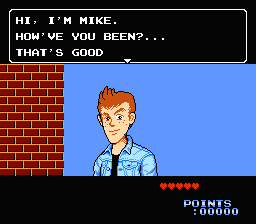
Maniac Mansion is a 1987 graphic adventure video game developed and published by Lucasfilm Games. It follows teenage protagonist Dave Miller as he attempts to rescue his girlfriend Sandy Pantz from a mad scientist, whose mind has been enslaved by a sentient meteor. The player uses a point-and-click interface to guide Dave and two of his six playable friends through the scientist's mansion while solving puzzles and avoiding dangers. Gameplay is non-linear, and the game must be completed in different ways based on the player's choice of characters. Initially released for the Commodore 64 and Apple II, Maniac Mansion was Lucasfilm Games' first self-published product.
The game was conceived in 1985 by Ron Gilbert and Gary Winnick, who sought to tell a comedic story based on horror film and B-movie clichés. They mapped out the project as a paper-and-pencil game before coding commenced. While earlier adventure titles had relied on command lines, Gilbert disliked such systems, and he developed Maniac Mansion's simpler point-and-click interface as a replacement. To speed up production, he created a game engine called SCUMM, which was used in many later LucasArts titles. After its release, Maniac Mansion was ported to several platforms. A port for the Nintendo Entertainment System had to be reworked heavily, in response to Nintendo of America's concerns that the game was inappropriate for children.
From Wikipedia's article Maniac Mansion, licensed under CC BY-SA 4.0
Keyboard controls
| NES | Player 1 | Player 2 |
|---|---|---|
| D-pad | ↑↓←→ | IKJL |
| B | Z | N |
| A | X | M |
| Select | Shift | B |
| Start | Enter | Space |
Hotkeys
- 1 Quick save state
- 2 Quick load state
- 3 Change save slot
Gamepads are detected when you press a button. Remap any key from the emulator’s Controls menu (gear icon).
Live chat
Connecting…
Keyboard controls
| NES | Player 1 | Player 2 |
|---|---|---|
| D-pad | ↑↓←→ | IKJL |
| B | Z | N |
| A | X | M |
| Select | Shift | B |
| Start | Enter | Space |
Hotkeys
- 1 Quick save state
- 2 Quick load state
- 3 Change save slot
Gamepads are detected when you press a button. Remap any key from the emulator’s Controls menu (gear icon).
Go live
Let anyone watch you play, live in their browser. They see your game as you play it.
Press Start Game first.




Comments