King’s Quest
39K plays 1984 #Adventure
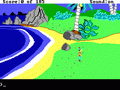
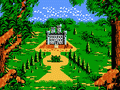
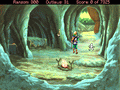
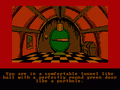
King's Quest: Quest for the Crown, originally released as King's Quest, is an adventure game developed by Sierra On-Line and published originally for the IBM PCjr in 1984 as the first entry in the King's Quest series. It was released for several other home computer systems between 1984 and 1989, as well as the Master System console. The game follows the young knight Sir Graham as he journeys through the pseudo-medieval fairy tale-inspired fantasy realm of Daventry, on a quest to recover three magical items and become the next king. It is presented as an interconnected set of locations, or flip-screens, with a pseudo-3D art style. The player interacts with locations and items using text commands, and must avoid numerous hazards and obstacles in their quest.
King's Quest was developed by Sierra after it was approached by IBM to make a game similar to Sierra's Wizard and the Princess (1980) that would showcase the computing power of the upcoming PCjr with animation and complex graphics. It was designed by Sierra co-founder Roberta Williams as a blend of common fairy tales, and was completed over the course of 18 months by Williams and a team of 6 programmers and artists, who had to develop new techniques for making graphical adventure games with visual depth. A reusable game engine was developed for the game, the Adventure Game Interpreter, which was reused for later Sierra games.
From Wikipedia's article King's Quest I, licensed under CC BY-SA 4.0
Controls
This is a PC game: it uses the keyboard the way it did under MS-DOS, and the mouse where the game supports it. Click the game screen first so it gets your key presses.
Many DOS games start with a menu or ask a question first — read the screen and answer with the keyboard. Arrow keys, Enter, Space, Ctrl and Alt are the usual game keys.
Live chat
Connecting…
Controls
This is a PC game: it uses the keyboard the way it did under MS-DOS, and the mouse where the game supports it. Click the game screen first so it gets your key presses.
Many DOS games start with a menu or ask a question first — read the screen and answer with the keyboard. Arrow keys, Enter, Space, Ctrl and Alt are the usual game keys.
Comments