Final Fantasy IV: Easy Type

0 plays 1991 #RPG
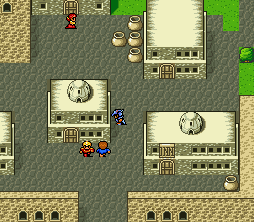
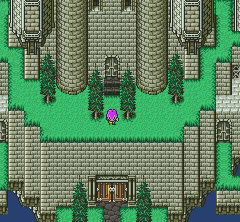
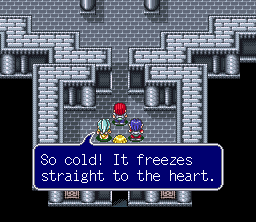
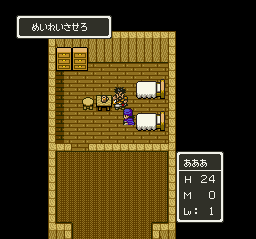
Final Fantasy IV, titled Final Fantasy II in its initial North American release, is a 1991 role-playing video game developed and published by Square for the Super Nintendo Entertainment System. It is the fourth main installment of the Final Fantasy series.
The game's story follows Cecil Harvey, a dark knight, as he tries to prevent the sorcerer Golbez from seizing powerful crystals and destroying the world. Cecil is joined on this quest by a frequently changing group of allies. Final Fantasy IV introduced innovations that became staples of the Final Fantasy series and role-playing games in general. Its "Active Time Battle" system was used in five subsequent Final Fantasy games and, unlike prior games in the series, Final Fantasy IV gave each character their own unchangeable character class—although at a few points in the story, members of the cast change or evolve their vocation to suit the narrative.
Final Fantasy IV has been ported to several other platforms with varying differences. A 3D remake of the same name was released for the Nintendo DS in 2007. The game was re-titled Final Fantasy II during its initial release outside Japan as the actual Final Fantasy II and Final Fantasy III had not been released outside Japan at the time. All later localizations of Final Fantasy IV (aside from the Wii Virtual Console), which began to appear after Final Fantasy VII (released worldwide under that title), used the original title.
This is the Japanese release, so its text is in Japanese.
From Wikipedia's article Final Fantasy IV, licensed under CC BY-SA 4.0
Keyboard controls
| SNES | Player 1 | Player 2 |
|---|---|---|
| D-pad | ↑↓←→ | IKJL |
| A | Z | M |
| B | X | N |
| X | A | U |
| Y | S | H |
| L | Q | Y |
| R | E | O |
| Select | Shift | B |
| Start | Enter | Space |
Hotkeys
- 1 Quick save state
- 2 Quick load state
- 3 Change save slot
Gamepads are detected when you press a button. Remap any key from the emulator’s Controls menu (gear icon).
Online, both players use the Player 1 keys (or a gamepad) on their own computer. Saving, loading and pausing are off while you play online.
Live chat
Connecting…
Keyboard controls
| SNES | Player 1 | Player 2 |
|---|---|---|
| D-pad | ↑↓←→ | IKJL |
| A | Z | M |
| B | X | N |
| X | A | U |
| Y | S | H |
| L | Q | Y |
| R | E | O |
| Select | Shift | B |
| Start | Enter | Space |
Hotkeys
- 1 Quick save state
- 2 Quick load state
- 3 Change save slot
Gamepads are detected when you press a button. Remap any key from the emulator’s Controls menu (gear icon).
Online, both players use the Player 1 keys (or a gamepad) on their own computer. Saving, loading and pausing are off while you play online.
No reviews yet
We found no critic scores for this game, and too few players have rated it.
Review scorecard
- Graphics — Not scored Unavailable
- Sound — Not scored Unavailable
- Control — Not scored Unavailable
- Fun Factor — Not scored Unavailable
No category score or overall rating is available for the unscored slots.
Full reviews
Play online
Play with a friend on another computer. Host a room and send them the link, or list it in Open rooms for anyone to join; they play as Player 2 and you both see the same game.
Press Start Game first.
Go live
Let anyone watch you play, live in their browser. They see your game as you play it, and your online game when you host a room.
Press Start Game first.
Comments